
What "ambient temperature" means
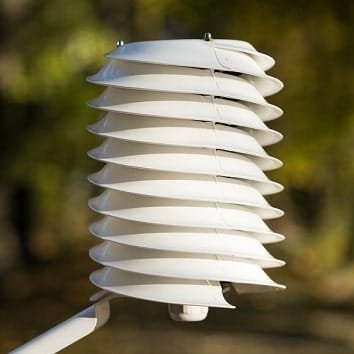
What we usually understand by ambient temperature is the temperature in the shade—that is the temperature the standard weather stations try to report. To accomplish this with good results, some kind of dedicated enclosure, such as a radiation shield, is typically used.
How original CloudWatcher units measured temperature
For cloud detection, however, we don't need an exact ambient temperature but something that follows that temperature, so the original CloudWatcher units used the IR sensor's internal thermometer to report the ambient temperature. The result was always some degrees above "real" ambient temperature, but that was good enough for our purposes.
The updated design—external humidity and pressure sensors
Adding the relative humidity sensor (external version), now improved with the atmospheric pressure sensor—both of which also include a temperature one—has allowed us to read a better ambient temperature measurement, as this sensor is placed below the unit, thus protected from sunlight, and in a separate, ventilated enclosure, with an aluminium heatsink and other improvements to increase the temperature accuracy.
The result is not as good as with a big, dedicated enclosure—but much smaller and more convenient, and quite accurate.
Choosing the right temperature source in the software
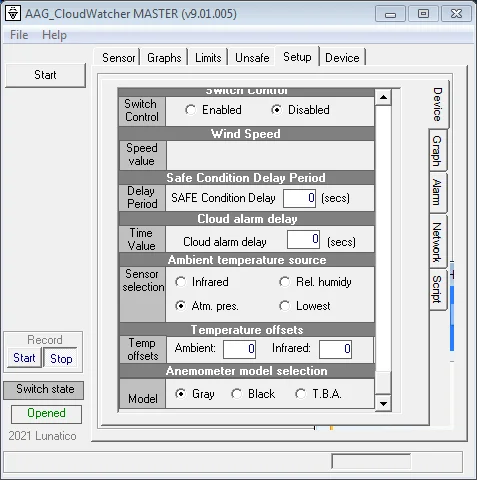
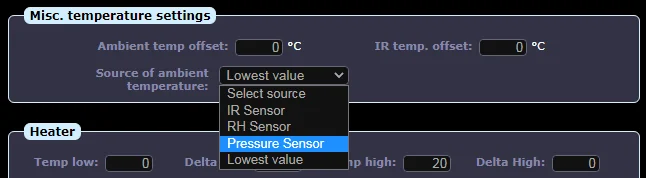
In the software, there are now several options to select both the source of the ambient temperature and an optional offset.
Important: bear in mind the final ambient temperature—from whatever sensor, and with any offset applied—will be used to adjust both the relative humidity and the atmospheric pressure, so it is worth selecting one of the sensors, and if needed setting a small offset.
Recommended: select "Lowest value"
We recommend selecting the Lowest value option, but have left every other option available just in case.