When installing your AAG CloudWatcher, please follow these guidelines
Fixing kit
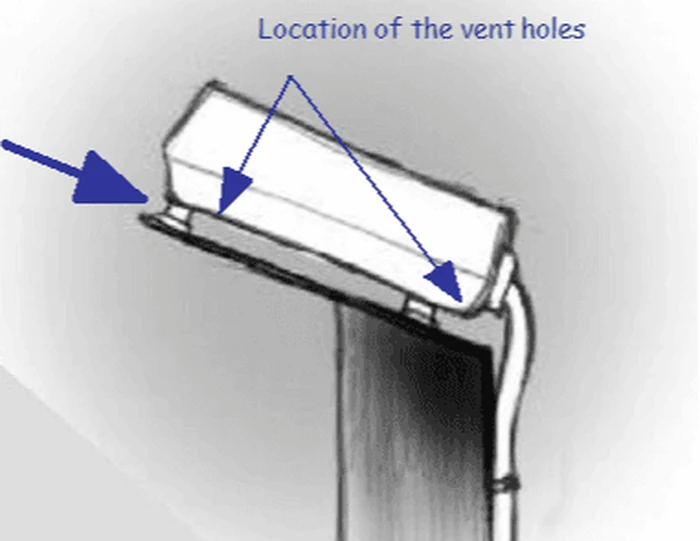
- It is very important to use the fixing kit mounted in your device, to raise the unit a little bit and allow air flow.
Cable orientation
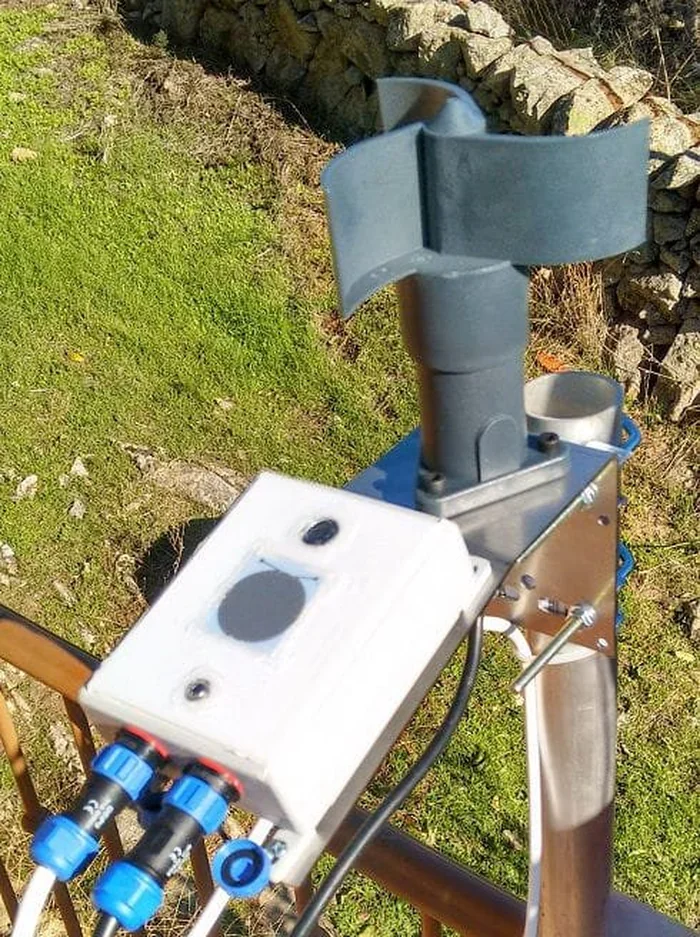
- The cable must be pointing downwards—the unit must be slightly tilted, as seen in the images below.
With the cable pointing up or sideways, water can run along the cable and into the connector, causing corrosion or electrical faults over time. With the cable pointing down, any moisture runs off and away from the connector.
Choosing the mounting location
Mount the CloudWatcher where the sky view overhead is unobstructed. Avoid:
- Nearby heat sources—air conditioning vents, chimneys, or equipment exhausts will affect cloud temperature readings
- Overhangs or partial cover—the rain sensor needs to detect actual precipitation falling from above, not wind-driven spray
If you are installing alongside an anemometer, mount it so it does not block the sensor's sky view—see correct placement for the anemometer.
As seen in the images below