
Loading the API
The Dragonfly serves a JavaScript library from its own web server. Load it into your page with a script tag, no download or installation needed:
<script src="http://dragonfly/code.js"></script>
Replace dragonfly with the device hostname or IP address if the default hostname doesn't resolve. This file is served directly by the controller. Once loaded, the API functions and data arrays are available in the page's global scope.
Securing the web page. This code is served by the Dragonfly's own internal web server, intended for pages on your observatory network. If you plan to expose that page more widely, read Securing the Dragonfly web page first.
Reading sensor values—sn[]
The sn[] array contains the current reading of each sensor input. There are 8 sensor channels, indexed 0–7:
// Read sensor 0:
var reading = sn[0];

// Values are integers, 0–1023 (analog range).
// Digital interpretation: below 512 = off, 512 or above = on.
| Property | Type | Description |
|---|---|---|
| sn[0]…sn[7] | Integer 0–1023 | Sensor input reading. Analog sensors return a value across the full range. Digital inputs read near 0 (off) or near 1023 (on). Values below 512 are treated as digital "off". |
Reading relay states—rl[]
The rl[] array contains the current state of each relay output. There are 8 relays, indexed 0–7:
// Read relay 0 state:
var roofOpen = rl[0];  // true if closed (energised), false if open
| Property | Type | Description |
|---|---|---|
| rl[0]…rl[7] | Boolean | Current relay state. true = relay is closed (energised). false = relay is open. |
Sending relay commands—dflyDo()
Use dflyDo() to send a command to a relay:
dflyDo( address, command, relay, timing );
| Parameter | Type | Description |
|---|---|---|
| address | String | The controller hostname or IP address. Use "dragonfly" for the default device name, or its IP address (e.g. "192.168.1.100"). |
| command | String | The relay action to execute. See command list below. |
| relay | Integer | Relay index to act on, 0–7. |
| timing | Integer | Timing parameter in milliseconds. Used by rlpulse. Pass 0 for commands that don't use it. |
Commands
| Command | Description |
|---|---|
| rlchg | Toggle—flip the relay to the opposite state. |
| rlpulse | Pulse—close the relay for the number of milliseconds given in the timing parameter, then open it. |
| rlopen | Open the relay (de-energise). |
| rlclose | Close the relay (energise). |
Examples
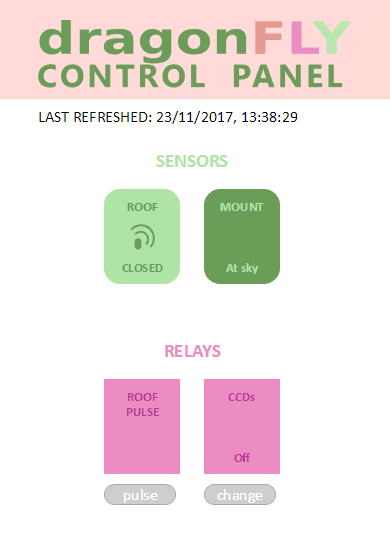
Toggle relay 0
dflyDo( "dragonfly", "rlchg", 0, 0 );
Pulse relay 3 for 2 seconds
dflyDo( "dragonfly", "rlpulse", 3, 2000 );
Read sensor 2 and display it
var val = sn[2];
document.getElementById("sensor-display").textContent = val;
Show relay state as on/off text
var state = rl[1] ? "ON" : "OFF";
document.getElementById("roof-status").textContent = state;