
The DST problem
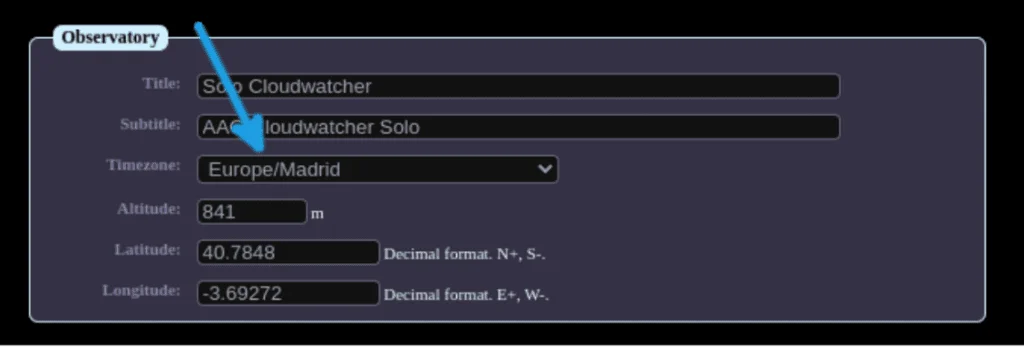
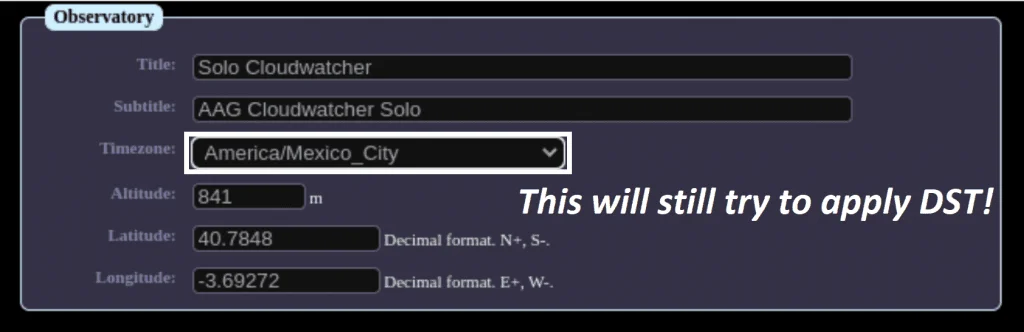
As you probably already know, many countries observe Daylight Saving Time, shifting clocks by one hour in summer and back in winter. The SOLO handles DST by using city-based time zone names (e.g. "Europe/London") that include DST rules. This works well when the zone's rules match reality.
The problem arises when a country has discontinued DST or changed its rules after the SOLO's Linux timezone database was last updated. In that case, the SOLO continues to apply the old rules, producing timestamps that are one hour off for half the year.
Why Lunatico doesn't push OS updates
The SOLO runs on a Raspberry Pi with an SD card. Frequent Linux updates would wear out the card unnecessarily. Lunatico also prefers not to depend on Linux distribution release schedules, and following the principle that "if it ain't broke, don't fix it" reduces the risk of introducing new bugs into a stable system.
The solution: fixed UTC offsets
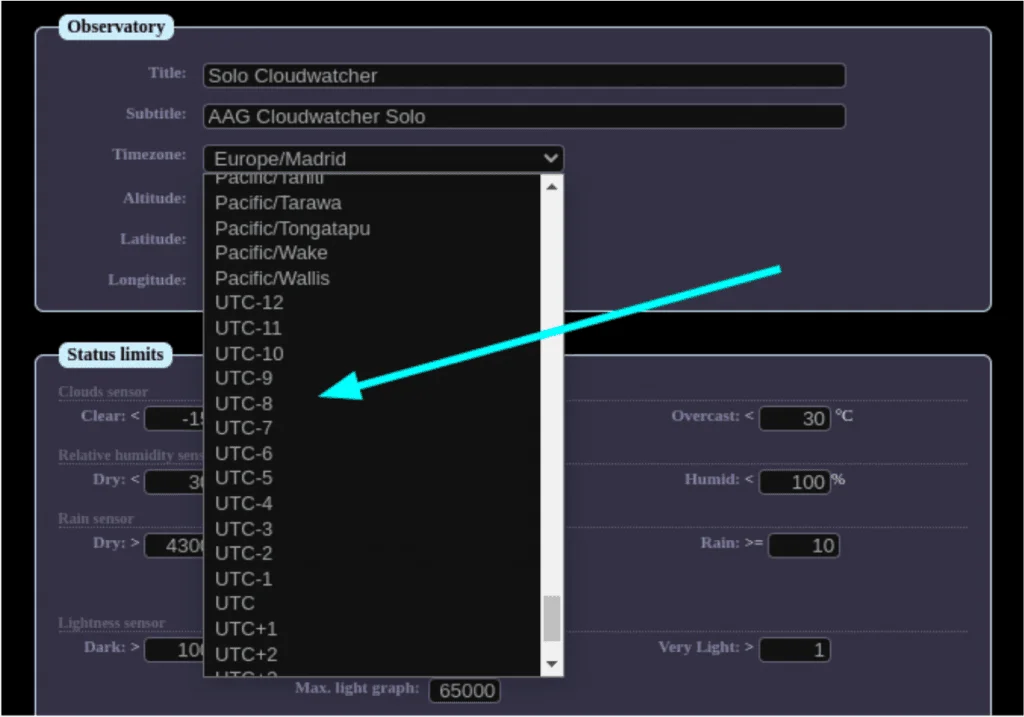
Since version 3.10, the SOLO's configuration page at https://aagsolo/config includes fixed UTC offset options in the time zone dropdown—look for the wrench icon. Options like "UTC-6" or "UTC+5:30" remain constant year-round: no DST adjustment, no annual timestamp drift.
Select the fixed offset that corresponds to your actual local time and the SOLO will use it consistently regardless of the calendar.
Custom offsets via SSH
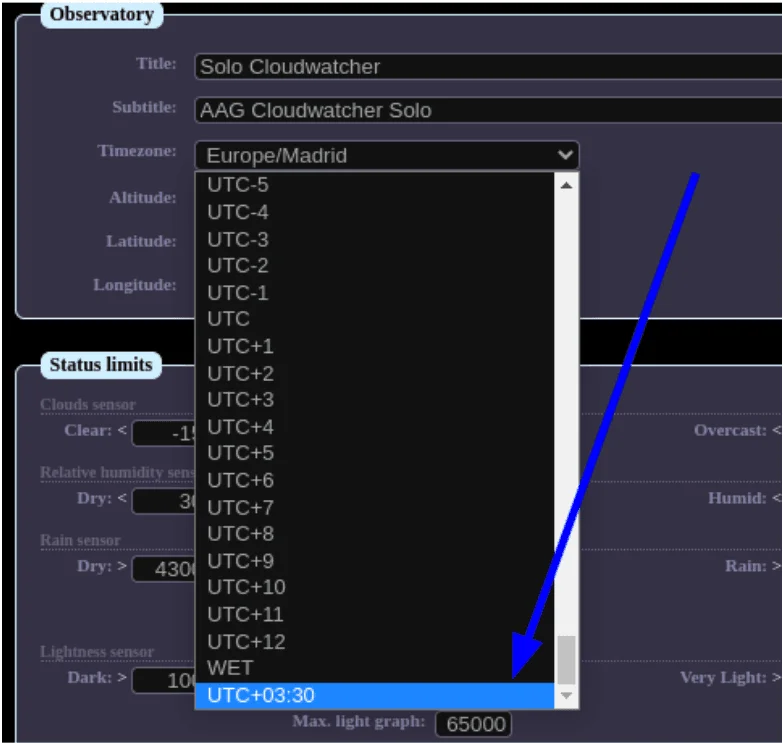
For non-standard offsets (such as Nepal's UTC+5:45), you can add a custom entry manually:
- Connect to the SOLO via SSH:
ssh solo@aagsolo(passwordcloudwatcher) - Make the SD card writable:
sudo mount -o remount,rw / - Add your offset to
/home/aagsolo-orig/www-ssl/config/timezones.txt, e.g.sudo su -c 'echo "UTC+05:45" >> timezones.txt' - Restart the SOLO:
sudo reboot
Your custom offset will then appear in the time zone dropdown alongside the built-in options.
Which version do I have? Check your SOLO version at https://aagsolo/config. If you see fixed UTC options in the time zone dropdown, you are on v3.10 or later. If not, update the SOLO firmware first.