
Mount parking without a PC
The Dragonfly can now send a park command directly to a 10 Micron network-enabled mount, with no computer required and no active session needed. If the observatory loses its PC connection in the middle of the night, the Dragonfly can still safely park the mount on its own.
This is achieved using Dragonfly macros. The 10 Micron series was the first to be supported; other network-enabled mounts can be added on request.
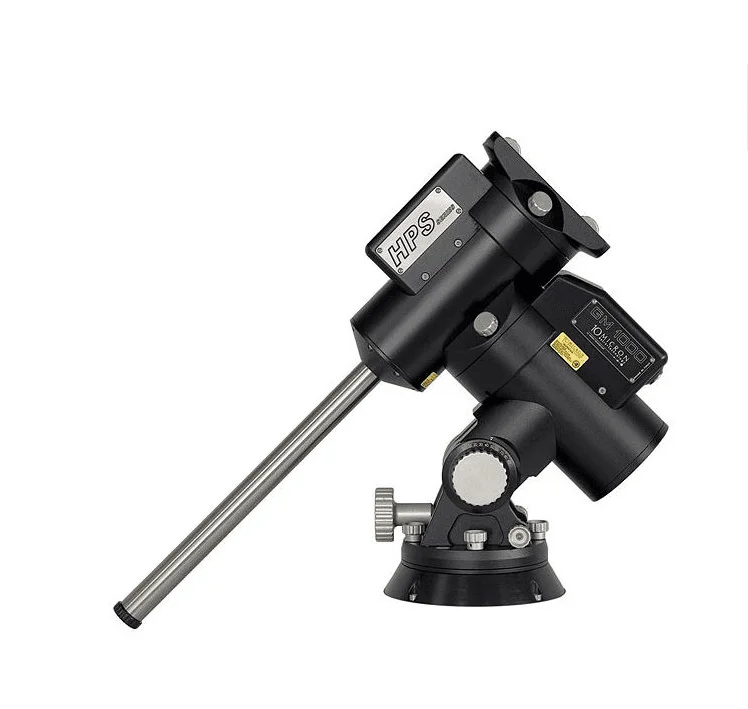
10 Micron compatibility: Find more information here: 10 Micron mount network-utility.
Humidifier control via SOLO dew-point data
Humidity inside an observatory dome can damage mirrors, correctors and electronics. The Dragonfly can now read temperature and dew-point data from a SOLO CloudWatcher unit and automatically switch a humidifier relay when the gap between dew-point and ambient temperature drops below a safe threshold.
This runs entirely within the Dragonfly, with no PC and no manual checks needed. The SOLO provides the weather data; the Dragonfly decides when to act.
Closed observatory support: The humidifier control logic works even when the observatory is fully closed. If the dome is shut and the optics are stored, the Dragonfly will still monitor humidity and switch the relay to protect the equipment.
How to set it up: macros
Both features are implemented through Dragonfly macros: sequences of commands that the controller executes on a schedule or in response to a trigger. We have published a comprehensive manual on both simple and advanced macros, which you can find below.